
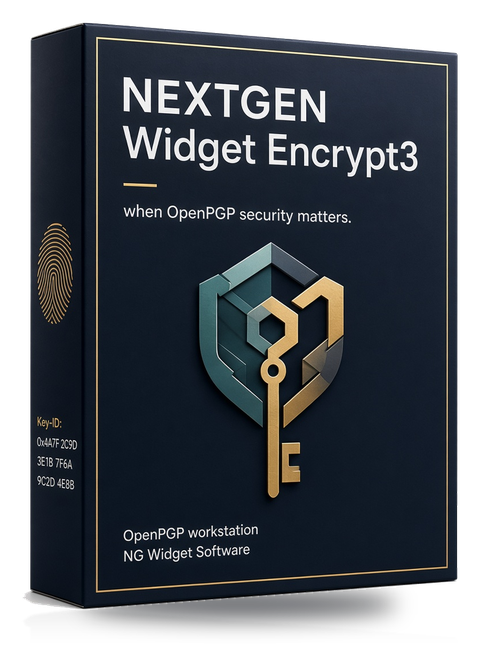
NEXTGEN Widget Encrypt3
All-new redesign of the NEXTGEN Widget Encrypt line. A Windows OpenPGP workstation for files, folders, text, and the keys that protect them. One PC, $99.
You can finish this page without opening the app. The trial is for confirmation, not for discovering what you bought.
Who it is for
Consultants, small offices, and operators who need a real key store, not a one-off encrypt box. One license, one PC, tied to that machine’s code.
Use it when you keep OpenPGP keys for clients or for your own office, and you want compose, import, revoke, expire, and encrypt in one Windows program. It is not a mail client, a cloud vault, or a replacement for a full security program.
Encryption runs on your computer. We do not receive your files, keys, or vault. Payment is handled by 2Checkout.
What it is
NEXTGEN Widget Encrypt3 is an all new professional design for ease-of-use to protect files, folders, and text with OpenPGP — with a cleaner vault, stronger key lifecycle tools, and a signed Windows build.
Windows with .NET Framework 4.8.1. The current installer is on Download.
What the vault stores
The vault is the local store for keys, passwords, and settings. It is not where your encrypted documents live. Those stay as OpenPGP files on disk, in the folders you chose.
| Keys | Public keys, secret keys, and pairs. Groups and notes. A trash bucket for keys you remove from the working set. |
|---|---|
| Passwords | Vault login, and the key passwords you set or generate. A second administrator can be added. Login locks after failed attempts. An idle lock is available. |
| Settings | Workstation settings, including software update and license. Backup and restore cover the vault. |
| Operations record | Audit log, expiration dashboard, and key ceremony sheets. Lookup can use keyservers and WKD, on more than one server. |
Key types
Compose Key builds a pair on this PC. You pick the algorithm, hashes, ciphers, compression, and expiry. A password generator is on the same screen. Show password, a generated password, and mark as verified are available after the key exists.
| RSA | Classic OpenPGP primary key. |
|---|---|
| DSA + ElGamal | Legacy signing and encryption pair. |
| ECDSA + ECDH | Elliptic-curve signing and encryption. |
| Ed25519 + X25519 | Modern signing and encryption pair. |
Import and export cover public, secret, or pair, as ASCII .asc or binary .gpg. An App Version header is written on export. A Comment header is written only if you enter one. You can also paste an armored public or private block from text or the clipboard.
Bulk import takes a CSV template, .asc / .pgp / .gpg, or a ZIP. Dry-run first. The import checks duplicates, expired keys, revoked keys, and weak algorithms. Groups and notes can be set on import, and the grid can filter by group.
After a key is in the vault: change its password, revoke it, open properties, show a QR of the full public key, or extend expiration. Extending expiration requires the private key.
Work the keys do
- File: encrypt, decrypt, sign and encrypt, decrypt and verify.
- Folder: encrypt or decrypt, with optional subfolders.
- Text: encrypt, decrypt, sign and encrypt, decrypt and verify, clear-sign, verify.
- Optional armor comment. A recovery copy encrypts to a second selected key.
- Recipient groups. Clipboard encrypt and decrypt from the key grid.
- Watch folder for incoming files.
Explorer integration
Windows Explorer can hand a file to Encrypt3 without you starting from the key grid.
- Right-click encrypt and right-click decrypt.
- Command-line and Explorer hand-off when the app is already open.
- A watch folder for files that arrive while you are away from the grid.
Explorer starts the same workstation. It does not keep a second copy of the vault.
License rules
A paid license is for one computer. It is bound to the machine code collected at purchase. Sharing the code on a second PC is not permitted. $99. The full wording is on the license page.
| Evaluation | The installer is a 30-day evaluation inside the application. It is not a free full license. The trial may generate keys that expire in 30 days. Other workstation features remain available so you can test the product. A paid license removes that cap. |
|---|---|
| How you buy | Install the trial. Copy the machine code from Help → About, or from MachineCode.txt. Paste it on the Buy page, then pay with 2Checkout. If you buy from the in-app button, the app opens the pay link and can insert that PC’s machine code. The license is emailed to the receipt address. Apply it at Settings → Software update and license → License. |
| Replacement | If the licensed PC dies, send the 2Checkout receipt and the new machine code within one year of purchase. Replacements are at our discretion if the original license was already fulfilled. |
| Export | You are responsible for using the software only where your law allows encryption products. See Terms — export. |
Screens
Compose Key
Algorithm, hashes, ciphers, compression, expiry, and the password generator. Evaluation builds are capped at 30-day keys until a license is applied.
Key grid and vault login
The working set of keys, group filter, properties, QR of the public key, and the login that unlocks the vault. Idle lock and a second administrator are set here.
Explorer hand-off
Right-click encrypt or decrypt on a file in Windows Explorer. If Encrypt3 is already open, the hand-off uses that session.
The public site currently ships the product box, not UI captures. Drop shot-compose.png, shot-grid.png, and shot-explorer.png in /images/ and the three captions above are the matching labels. In-app Help opens the local help file; the public copy is under Docs.
Changelog
Newest changes are at the top of the release history. Markers are [*] bug fixed, [+] added, [-] removed, [!] changed.
The feature inventory, still in list form, stays on Encrypt3. This page is the one to read before you pay.