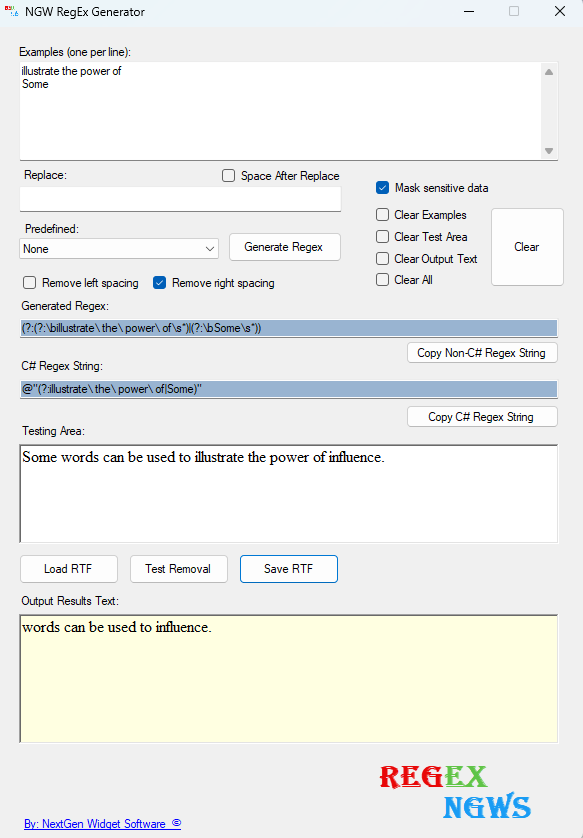
Removes Selected Text
This section we will simply removes some selected text.
1. Add some select text to the testing area (Some words can be used to illustrate the power of influence.).
2. In this case were going to remove the words (illustrate the power of ). So, let's place this in the examples text box. Be advised that this is case-sensitive. This is going to be placed on the first line in the examples text box. On the second line I'm going to remove the word (Some).
3. In this case I'm going to utilize the remove right spacing checkbox to close the gap which will remove the spacing in front of the word "words".