Masking Credit Cards
Masking Credit Cards Social Security cards and phone numbers is essential in programming. So, that's look at how to achieve masking. Now, we don't necessarily need to go over each individual masking of (phone numbers, Social Security numbers and individual credit cards) because the masking works the same for each and every one of them.
So, in this example we would just use a visa, MasterCard, American Express and Discover card in this example. These credit cards numbers are often used for testing and are not linked to any accounts.
Visa: 4169773331987017 - Format: 4169 7733 3198 7017
MasterCard: 5410710000901089 - Format: 5410 7100 0090 1089
American Express: 349101032764066 - Format: 3491 010327 64066
Discover card: 6011683204539909 - Format: 6011 6832 0453 9909
Now, let's put some text together and insert the visa card (4169773331987017 / 4169 7733 3198 7017 / 4169-7733-3198-7017) and then insert the MasterCard (5410710000901089), American Express (349101032764066) and finally Discover card (6011 6832 0453 9909).
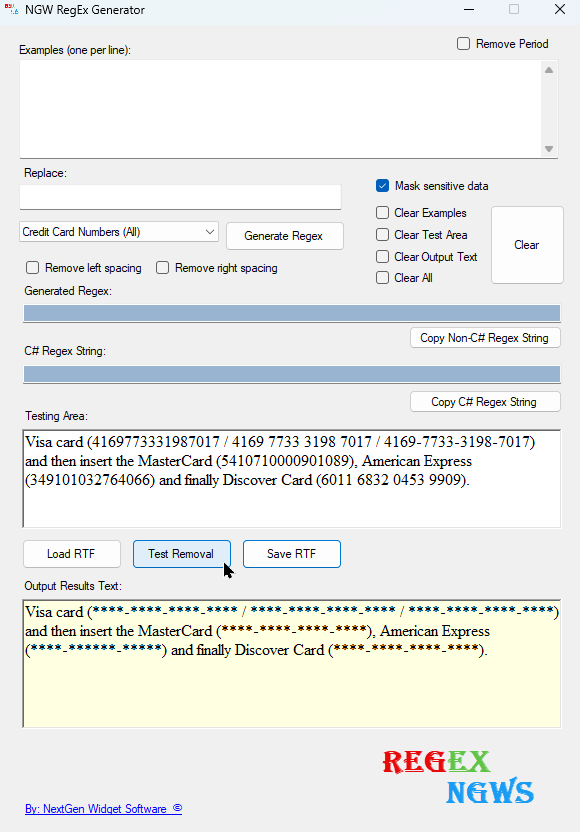
The masking will mask each of these formats; 4169773331987017; 4169 7733 3198 7017 or 4169-7733-3198-7017. You can choose to mask individual credit card numbers or all of them in one shot. Let's check out an example of all in one shot. Just select the (Credit Card Numbers (All)) in the drop-down (4) and then click the Test Removal (14) after adding your credit card numbers or number in the Testing Area (12).
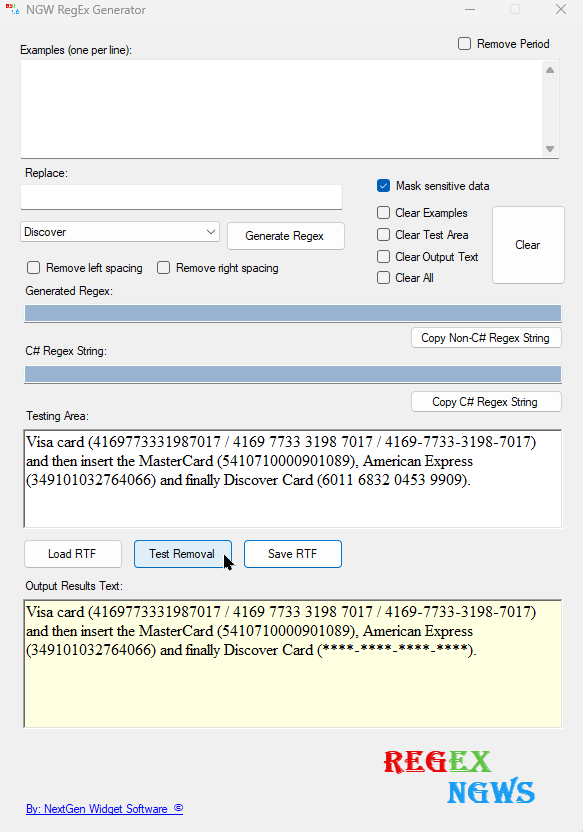
Now, let's look at one individual credit card number. In this example we will use the Discover card. It's the exact same process with the exception is that you select individual card from the drop down.
Although the Predefined have the ability to mask. It also has the ability just to remove and to replace with a word. Let's look at the removal without masking first. Just simply select the predefined and uncheck the "Mask sensitive data"checkbox. Doing so you will see that the credit card numbers are completely removed but the commas are still there.
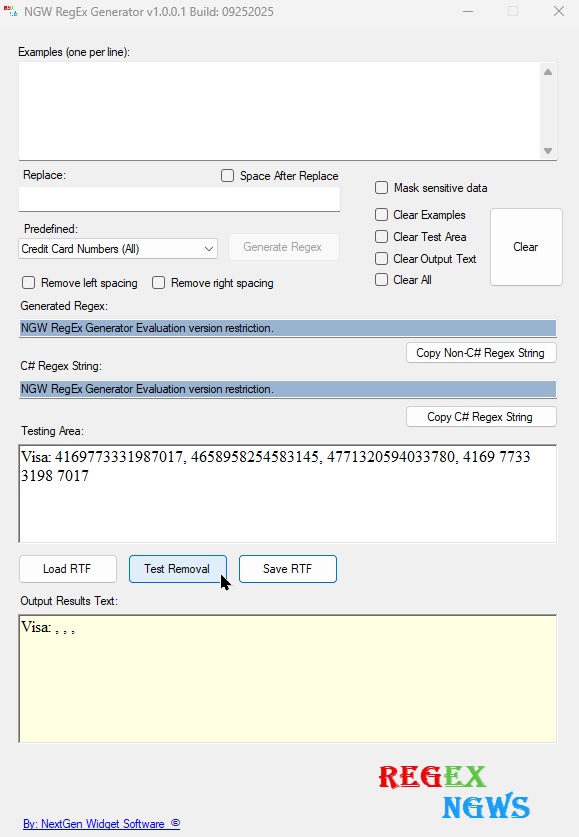
Next, let's use the replacement area to replace the Vias numbers with the word "void".
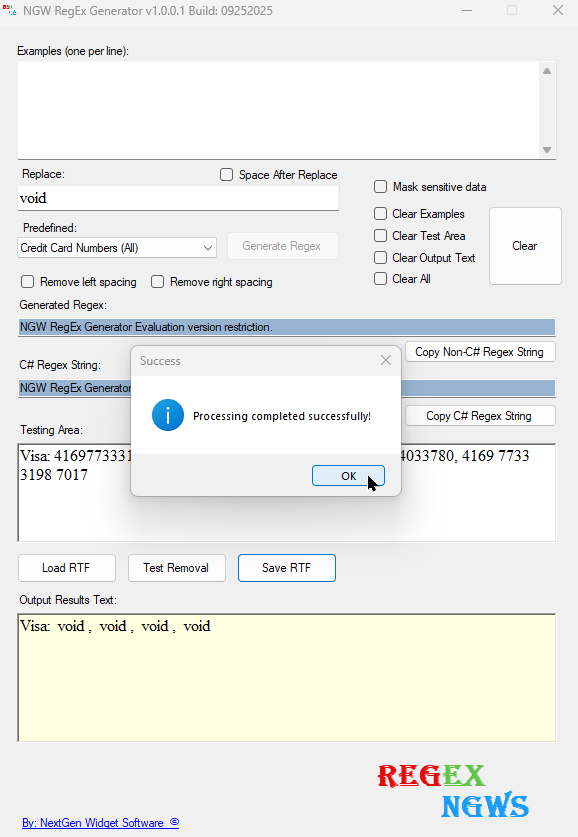
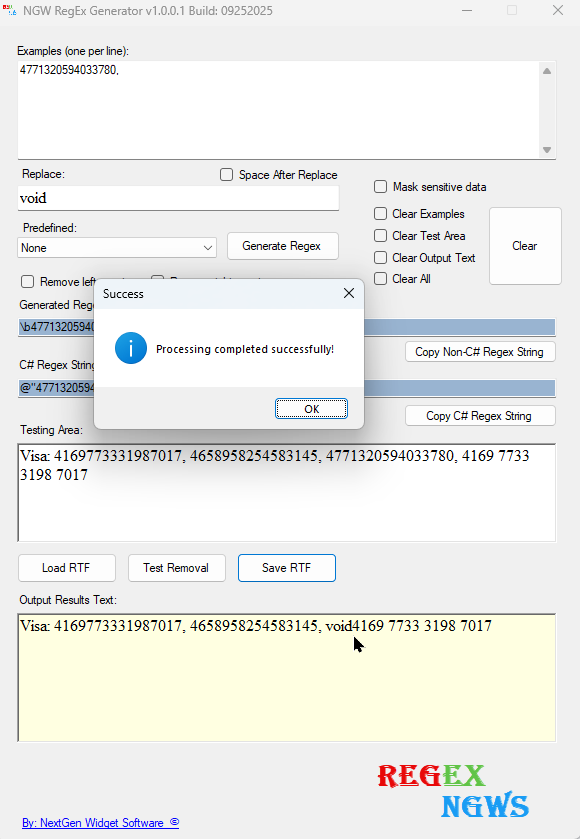
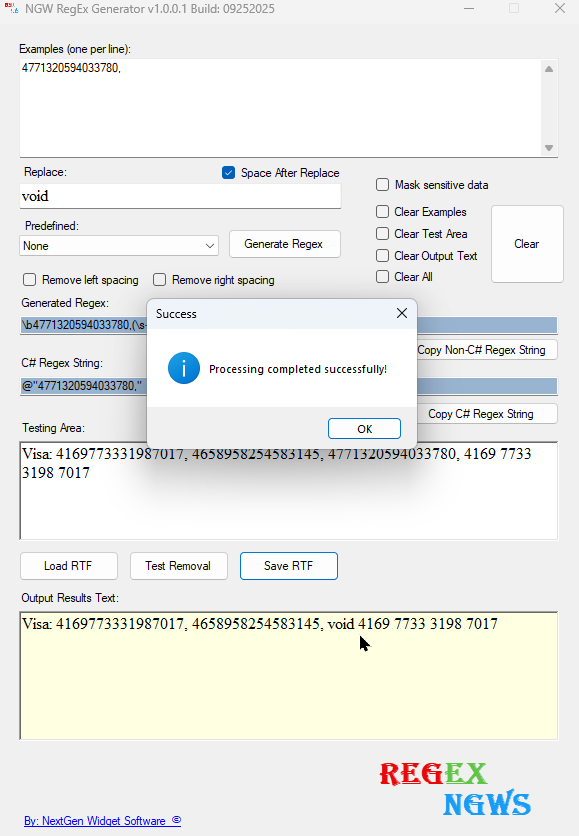
Now, spacing at times can be problematic so we've tried to fix some of the issues. In this example were going to remove "4771320594033780," from the Visa numbers and replace it with the word void. Now, what you'll notice is the word "void"sits right on top of the number four with no spacing. The image below on the left will be no spacing behind the word void and the image on the right as the (space after replace) checkbox is ticked you will see that there is now spacing after the word void.
|
|
|
|