Identify duplicated words
What's interesting about this program is that it can be used to locate duplicate words in an RTF file or just your plain text. Sometimes we make grammatical errors and missed them altogether. Here's one example, "This this is a nice day. What about this? This tastes good. I saw a a dog."
In this example the word "This" is in the verse twice. The expression will remove only the second duplicate word. So, let's see how we can achieve this.
1. Add the text to the testing area; "This this is a nice day. What about this? This tastes good. I saw a a dog."
2. Select "Duplicate Words" in the drop-down (4) and click "Test Removal" button (14). However, you may notice spacing between the words.
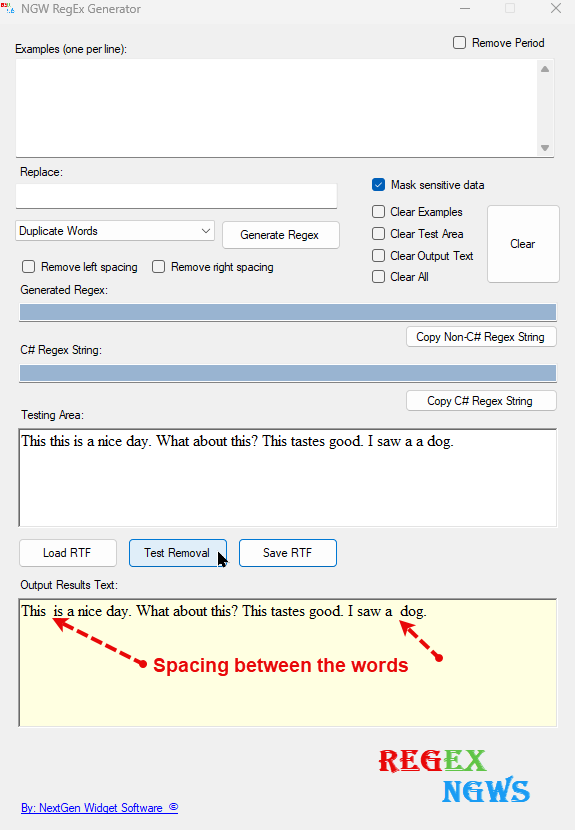
Spacing is easily fixed by utilizing the "Remove left spacing" checkbox and then click the "Test Removal" button. See below.
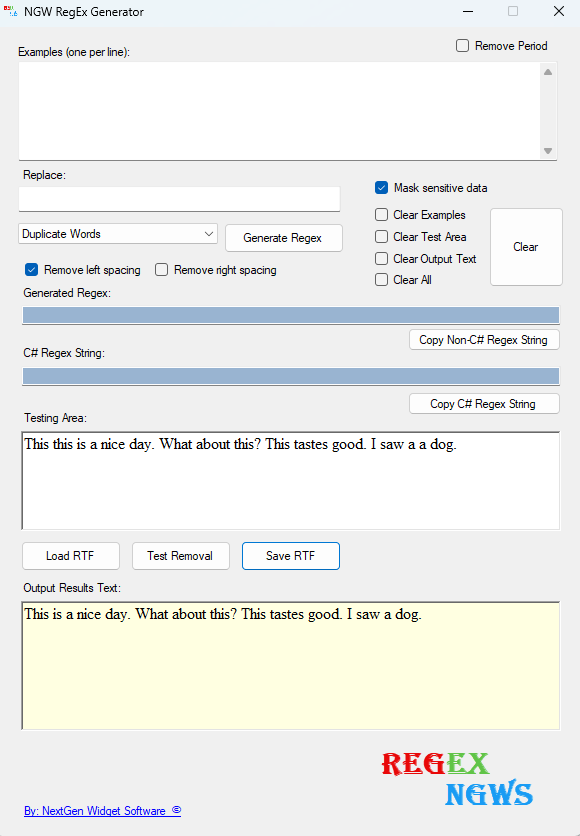
The duplicate word function isn't case-sensitive and as stated earlier will remove only the second duplicate word.