Recent projects

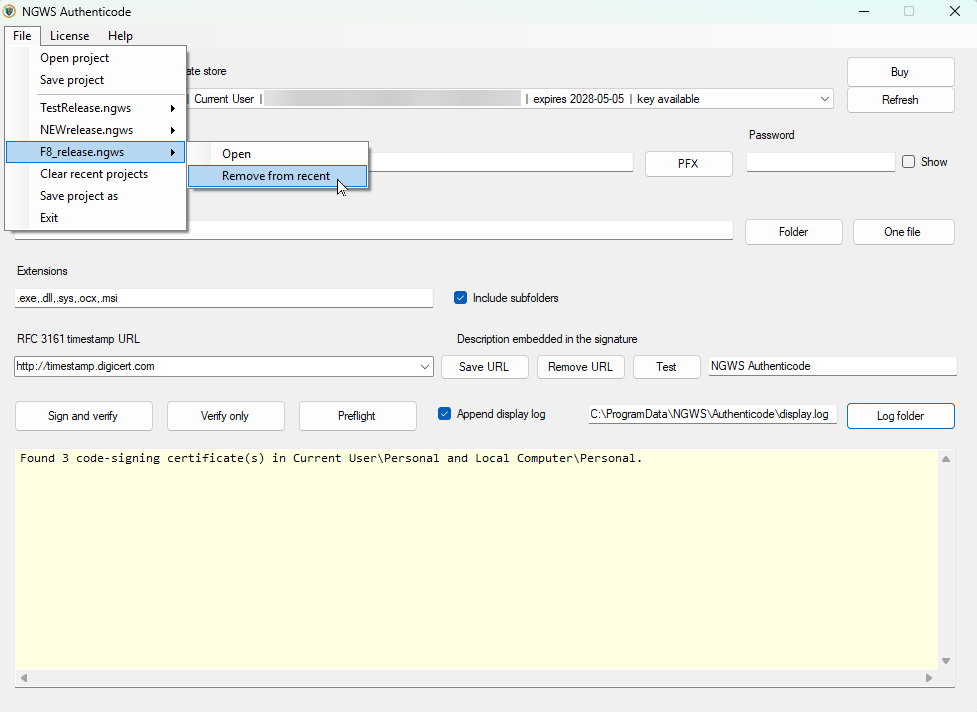
Recent projects is under the files menu. Just click on file and you'll see open, save project as well as recent projects, clear recent projects and save project as.
The save projects as will save your current settings for whatever project you set up. Meaning, you directory you've chosen, or file you've chosen, pfx file location etc. You can remove a project simply by selecting that project, follow the arrow and click on remove from recent. This does not in any way affect the files just the set up here in the program.