Logs and report

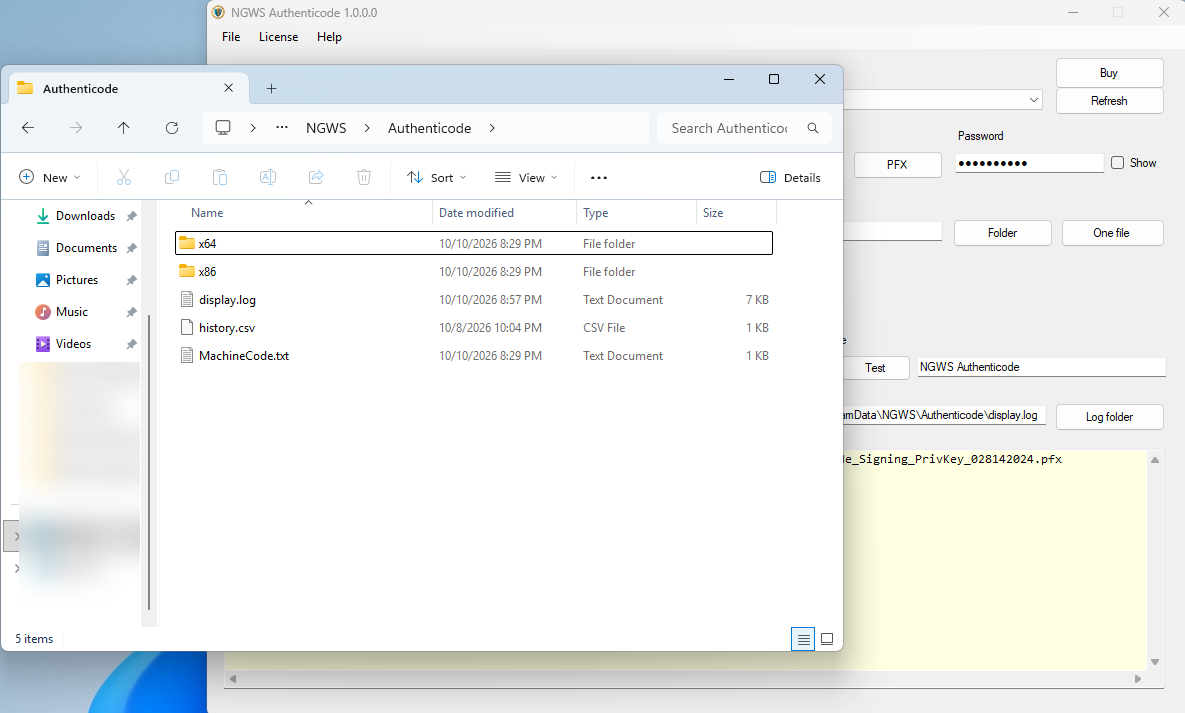
Logs and report are provided for your convenience and troubleshooting. Depending on if the user has access to (C:\ProgramData\NGWS\Authenticode\) or ( C:\Users\User\AppData\Roaming\NGWS\Authenticode) one of these folders will show up. In the case of this example the (C:\ProgramData\NGWS\Authenticode\) directory has been chosen automatically by the application.
Each signing will be appended to the display.log file which will show if the file was signed, warning or error. In that same directory there is a history.CSV and a machine code text file. The csv file will list the control failed or okay and verified or not. You'll need a csv program to open the file.
You can also select your own location to place the log file. The two subdirectories are the actual SignTool, one for 32-bit and the other for 64-bit.