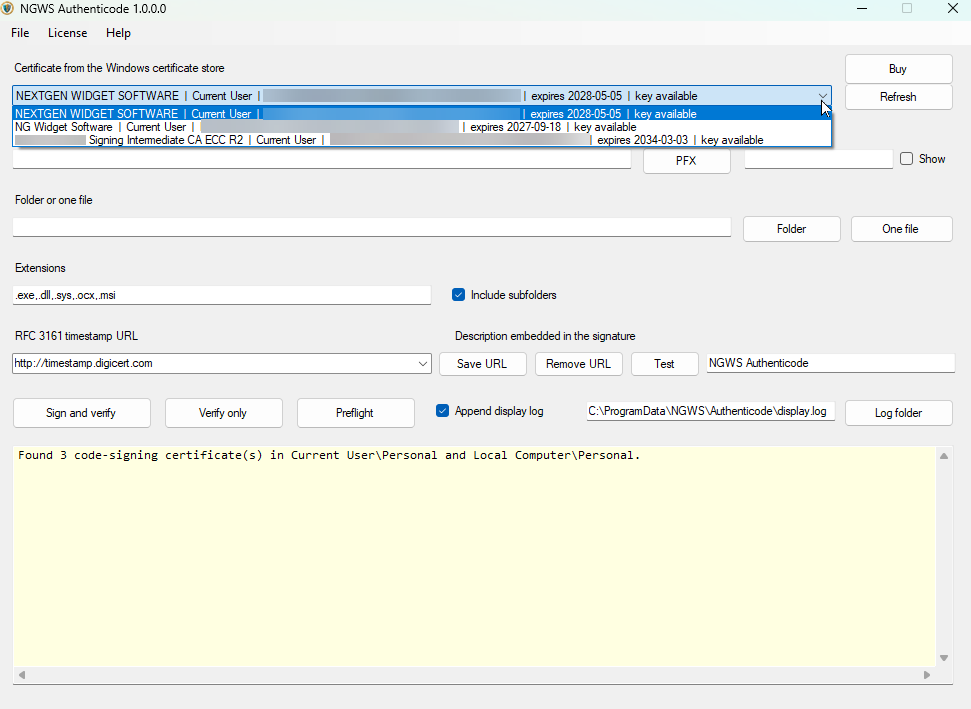
Certificate Store

When the program starts it automatically checks to see if you have any signing certificates. If you have no signing certificates the certificate store area will be blank. At this point you would just be using the application to sign components via the PFX file. However, if you have certificates then you can use your YubiKey.
The YubiKey signing may ask for the pin multiple times if you use the directory function and load multiple components into that directory. You can also choose to sign components in the included subdirectory. The YubiKey Slot 9A (PIV Authentication) generally uses a PIN policy of Once—enter the PIN once per session, then multiple operations can happen without another prompt. Slot 9C (Digital Signature) generally uses Always, requiring PIN verification for each signing operation. One important detail: these policies can be configured when the key is generated or imported, so the behavior depends on the specific key’s settings and YubiKey firmware. And it’s the PIN, not a passphrase; the touch requirement is a separate policy.